
Computer inspection is a crucial process that ensures your system remains efficient, secure, and reliable over time. In today's digital age, computers are used for almost every task, from personal work to business operations. Regular inspection helps prevent unexpected failures, improves performance, and protects valuable data from potential threats.
Understanding Computer Inspection
Computer inspection involves a detailed check of both hardware and software components to identify any issues that may affect performance. It is a preventive approach that helps detect problems early before they become serious and costly.
This process includes examining internal parts, analyzing system performance, checking for security threats, and ensuring that all software is up to date. A well-maintained computer runs faster, lasts longer, and provides a better user experience.
Importance of Routine Inspections
Routine computer inspections are essential for maintaining system stability. Over time, computers can slow down due to accumulating files, outdated software, or hardware wear and tear. Regular checks help keep the system optimized and running smoothly.
For businesses, inspections are even more important because system downtime can lead to loss of productivity and financial setbacks. Ensuring that all systems are working properly helps maintain workflow and efficiency.
Date
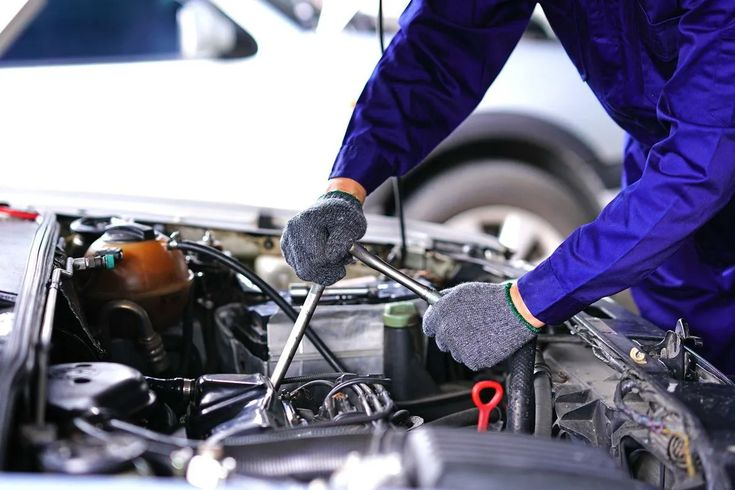
Hardware inspection focuses on the physical condition of the computer. It ensures that all components are working correctly and are free from damage or excessive wear.
Inspecting Internal Parts
The internal components such as the processor, RAM, motherboard, and storage devices should be examined carefully. Dust buildup inside the system can block airflow and cause overheating. Cleaning these components improves performance and extends their lifespan.
Checking Cooling Mechanisms
Cooling systems play a vital role in maintaining system stability. Fans and heat sinks should be checked regularly to ensure they are functioning properly. Overheating can lead to system crashes and permanent damage to hardware.
Assessing External Devices
External devices like keyboards, monitors, and printers should also be inspected. Ensuring that these peripherals are working properly helps maintain a smooth workflow and prevents interruptions.
Software Analysis
Software inspection ensures that the operating system and applications are functioning efficiently and securely.
System Updates and Optimization
Keeping the operating system updated is essential for performance and security. Updates fix bugs, improve features, and protect the system from vulnerabilities. Regular optimization also helps remove unnecessary files and improve speed.
Virus and Malware Protection
Malware and viruses are major threats to computer systems. Regular scanning with antivirus software helps detect and remove harmful programs. This protects both the system and sensitive data from potential damage.
Managing Installed Programs
Over time, many unnecessary programs may be installed on a computer. These programs consume resources and slow down performance. Removing unused software helps free up space and improve system efficiency.
Performance Monitoring
Performance monitoring is a key part of computer inspection. It involves checking how efficiently the system performs daily tasks. Slow startup times, lagging applications, and frequent freezes are signs of underlying issues.
Monitoring tools can help identify problems such as high CPU usage, insufficient memory, or background processes consuming resources. Addressing these issues improves overall performance.
Data Protection and Backup
Protecting data is one of the most important aspects of computer inspection. Regular backups ensure that important files are safe in case of system failure or cyberattacks.
Data can be backed up using external storage devices or cloud services. Having a reliable backup system provides peace of mind and prevents data loss.
Network and Security Checks
Computers connected to the internet require strong security measures. Inspecting network settings, firewall configurations, and user permissions helps protect against unauthorized access.
Using strong passwords, enabling encryption, and keeping security software updated are essential steps in maintaining a secure system environment.
Advantages of Professional Inspection Services
While basic inspections can be performed by users, professional services offer more detailed analysis. Technicians use specialized tools to detect hidden issues and provide effective solutions.
Professional inspections are especially beneficial for businesses that rely heavily on computer systems. Regular maintenance by experts ensures smooth operations and reduces the risk of unexpected breakdowns.
Warning Signs That Should Not Be Ignored
There are several warning signs that indicate the need for immediate computer inspection. These include slow performance, frequent system crashes, overheating, unusual noises, and error messages. Ignoring these signs can lead to serious damage and costly repairs.
Addressing these issues early helps maintain system health and prevent major failures.
Surgery
Computer inspection is an essential practice for ensuring long-term performance, security, and reliability. By regularly evaluating both hardware and software, users can identify and resolve issues before they escalate.
Whether for personal use or business operations, maintaining a routine inspection schedule helps extend the lifespan of the system and improve productivity. In a world that depends heavily on technology, a well-maintained computer is key to efficiency and success.

 English
 Arabic
 French
 Spanish
 Portuguese
 Deutsch
 Turkish
 Dutch
Dutch
 Italiano
 Romaian
 Portuguese (Brazil)
 Tiếng Việt